In Simple words, Metadata is data about data. Metadata is the information that is used to describe the data that is contained in something like a word document, Images, web page, or any file. Metadata of any document that might include a collection of information like, author, file size, the date the document was created and keywords to describe the document. Based on the file types this information may vary, For example, if you see the metadata of any image it may include, Image ID, Dimensions of the image, Width, Height, Resolution, camera details and other basic information, if you take any Word document you can see Authors, Last saved by, Version Number, content created date, Last Printed date, Content Status, Content type, Word count, and with other basic information. Metadata for a music file includes the artist’s name, the album, the year it was released, and with the basic information. Metadata represents all the information about the file or object that’s used everywhere by every industry, in multiple ways. It’s ubiquitous in information systems, social media, websites, software, music services, and online retailing. Metadata can be created or edited manually, In windows, Metadata will generate automatically based on the file types.
Different Types of Metadata
Based on the variety of broad Purposes the metadata can be differentiated into several types.
- Descriptive metadata is descriptive information about a resource. It is used for discovery and identification. It includes elements such as title, abstract, author, and keywords.
- Structural metadata is metadata about containers of data and indicates how compound objects are put together, for example, how pages are ordered to form chapters. It describes the types, versions, relationships, and other characteristics of digital materials.
- Administrative metadata is information to help manage a resource, like a resource type, permissions, and when and how it was created.
- Reference metadata is information about the contents and quality of statistical data.
- Statistical metadata, also called process data, may describe processes that collect, process or produce statistical data
- Technical Metadata, the metadata properties include file types, size, creation date and time, and type of compression.
Edit Metadata for Photos in Windows 10:
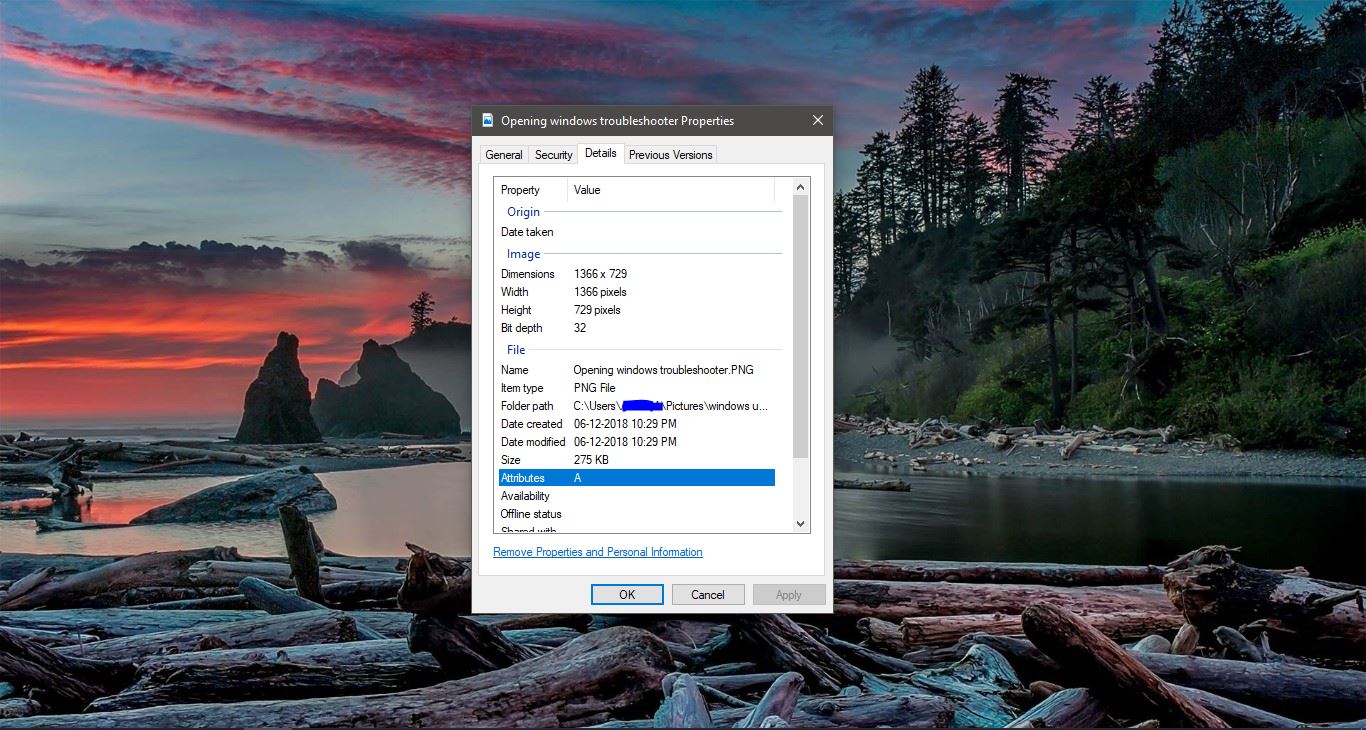
In Windows, Every file you save on your computer has metadata, which includes some basic information about the file, based on this information the operating system will deal with it. To View any file metadata, Right-click on the file and choose Properties. And in the Properties windows click on the Details tab to see the details of that file. This windows 10 article will guide you to Edit Metadata for Photos.
To Add or Edit any details in Metadata, First, make sure that you are having the original document, Next Right-click on the Photo, and choose Properties.
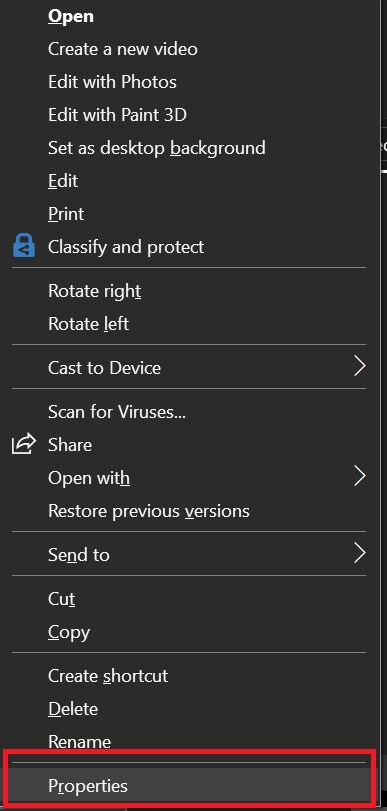
In Properties windows click on the Details Tab. Under Details Tab you can double click on the Property to Edit its value,
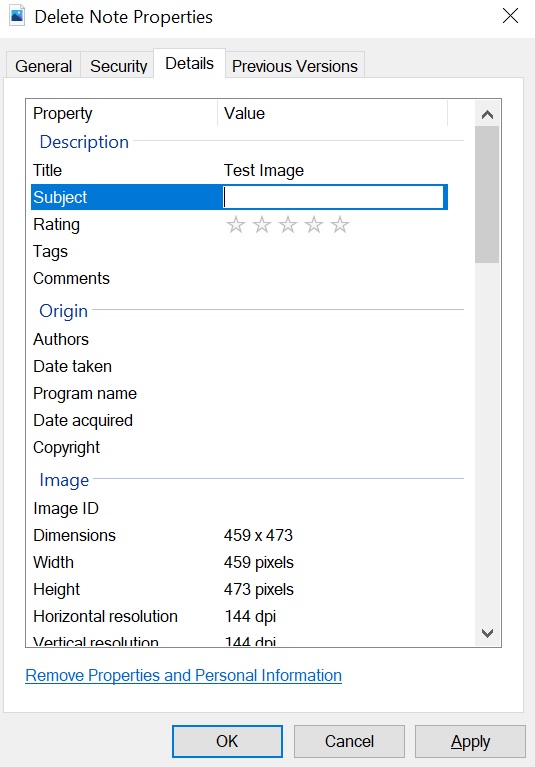
you can’t edit all the information, some information set by default. This way we can Edit Metadata for Photos or any other files.
Add or Remove Personal Information in the Metadata:
Also, you can add or remove personal information property in windows.
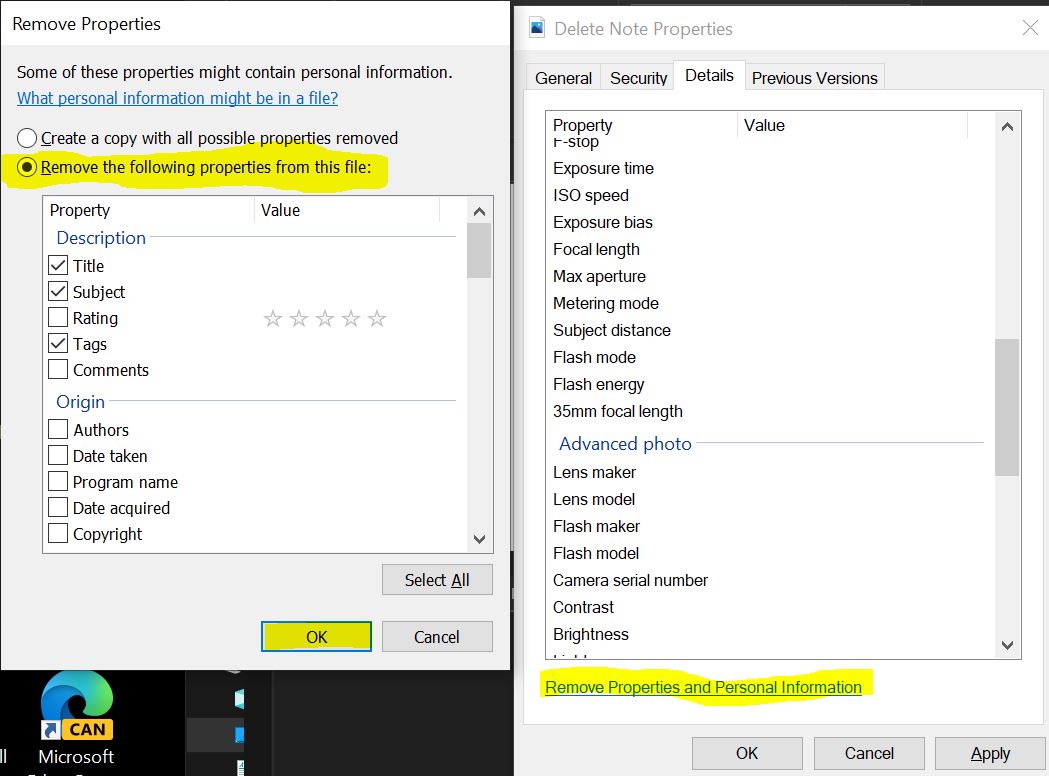
In Properties windows click on the Details Tab. Under Details Tab Click on the Remove Properties and Personal Information.
Under Remove Properties select Remove the following properties from this file, select the Property and click on OK.
Hope this information will be helpful.